 跳到内容
跳到内容 
IES and LDT files for LED linear lights are not decorative downloads. They are machine-readable photometric data used by lighting software to predict illuminance, distribution, glare and fixture quantity. At LCB Light, we consider the correct photometric file part of the product specification because an attractive datasheet cannot show where the light actually goes.
This guide is written for buyers and project teams who need to check whether a file belongs to the quoted luminaire, interpret its basic information and recognize common red flags before a layout is approved.
IES versus LDT in practical terms
The IES format is widely used in North America and is standardized through the Illuminating Engineering Society. EULUMDAT, normally supplied with the .ldt extension, is common in Europe. Both can describe luminous intensity distribution and related luminaire information for calculation software. The IES technical committee lists ANSI/IES LM-63 among the standards for electronic photometric data.
Designers may request one or both formats depending on their software and market. The important point is not the extension; it is whether the data corresponds to the exact production configuration.
Start with file identity
Open the file in a trusted photometric viewer or lighting program and check manufacturer, luminaire name, catalogue number, test-laboratory information, date and dimensions. Compare these fields with the quotation and datasheet. Product-family names are not enough when several lengths, wattages and optics share one housing.
Ask whether the file is measured from a complete luminaire or mathematically adjusted from another version. A scaled file may be useful for early design, but the supplier should identify it clearly and provide measured data when required by the project.
Verify lumens and input power
Compare the lamp or luminaire lumens in the photometric file with the quoted delivered output. Also check the input power used to calculate efficacy. Differences can arise from CCT, CRI, driver, diffuser, emergency gear or test tolerance, but they should be explained.
Do not combine lumens from one version with power from another. Our lumens and wattage guide explains why source lumens, luminaire lumens and system power must be kept separate.
Read the intensity distribution
The polar curve shows intensity by angle. A symmetric diffuse linear light may spread output broadly, while an aisle optic can be narrow across the aisle and wide along it. A wall-wash or shelf optic can be asymmetric. The same lumen total can therefore produce very different horizontal and vertical illumination.
Check the C-planes or equivalent orientation so the luminaire is rotated correctly in the model. A 90-degree error can turn an aisle distribution across the racks and create a misleading result.
Use the file in a representative model
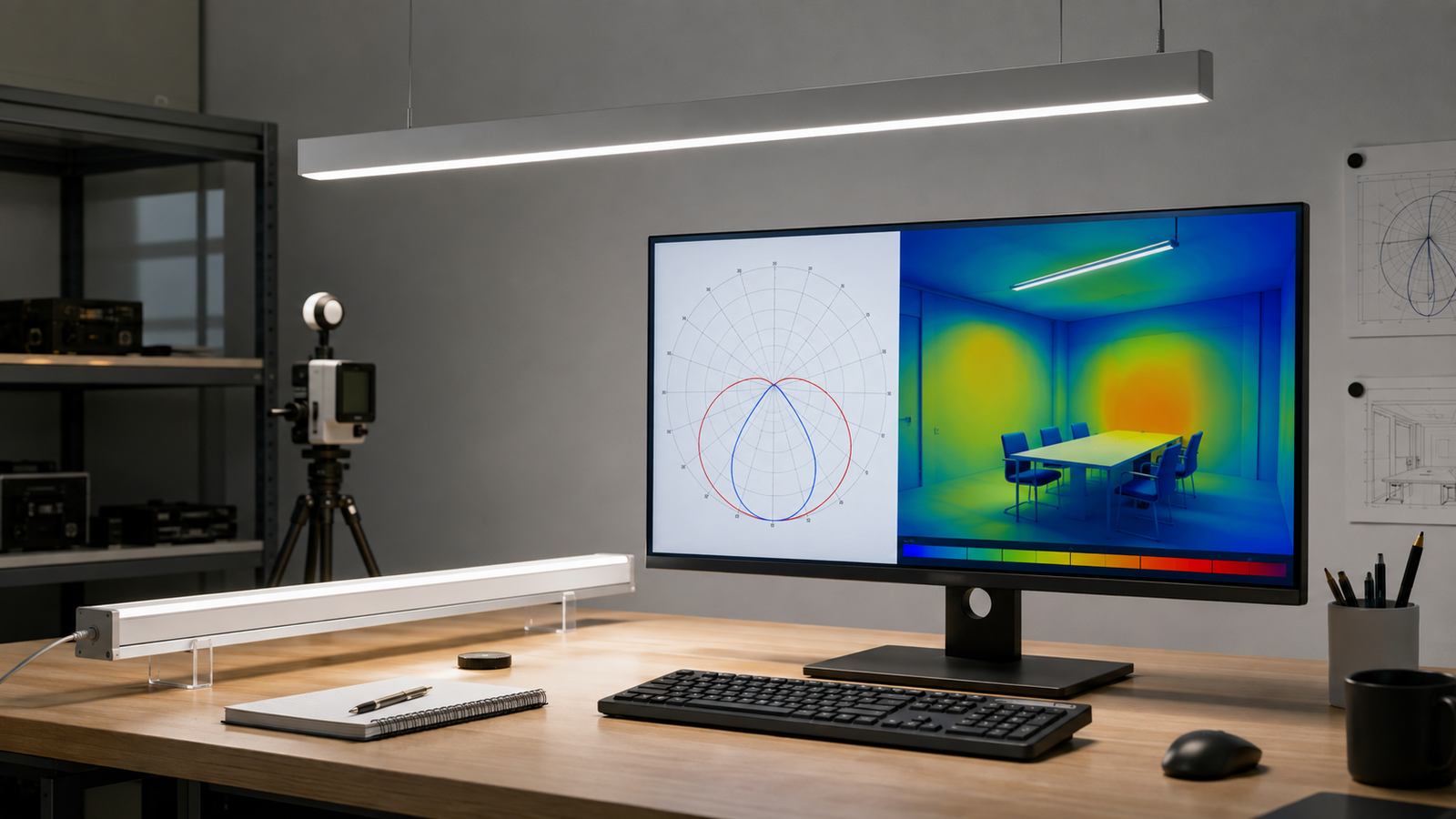
Import the file into the project software, place it at the intended mounting height and apply realistic room reflectances and maintenance assumptions. Calculate average and minimum illuminance, uniformity, vertical planes and glare where relevant. For continuous runs, use the actual module length and spacing, not an arbitrary point grid.
A preliminary lumen-method estimate can help with budgeting, but it cannot replace photometric modeling for optics, glare or shelf illumination. The file is where the product and the room finally meet.
Red flags in supplier files
- The catalogue code in the file belongs to another manufacturer or product.
- Every optic and wattage is supplied with the same distribution and lumen value.
- Dimensions do not match the quoted body.
- The file name has been changed, but internal identification has not.
- The test date or laboratory is missing and the origin cannot be explained.
- A “UGR<19” claim is made without the corresponding optic or project calculation.
One mismatch may be an administrative mistake. Several mismatches suggest the design should not proceed until the data source is clarified.
What to request in an RFQ
State the exact length, output, CCT, CRI, optic, mounting type and driver option, then request matching IES and/or LDT files. Ask for the test report when project review requires traceability. If alternatives are quoted, each option should have its own identifiable file.
At LCB Light, we also recommend saving the approved file with the quotation revision. If production changes the LED, optic or current setting, the photometric implications should be reviewed before shipment.
Illustrative file-check example
A quotation offers a 1.5 m, 50 W linear luminaire with an asymmetric optic and 6,500 delivered lumens. The attached file name suggests the right family, but the internal record identifies a 1.2 m, 38 W opal version. If that file is used, the layout can misrepresent both output and distribution. Renaming the file does not convert the photometry.
The correct response is to request data for the quoted configuration, or a documented preliminary file clearly identified as scaled. Keep the assumption visible in the report until measured data replaces it. Do not quietly multiply all lux results by the lumen ratio because an optic or luminous dimension change may also alter distribution and glare.
Orientation checks for linear and aisle optics
Many lighting programs show an arrow, local coordinate system or rotation angle. Place one fitting in a simple test room and inspect the false-color pattern before building the full layout. For an asymmetric wall-wash, confirm that the peak points toward the wall. For an aisle optic, confirm that the long distribution follows the aisle. This five-minute check can prevent an entire report from being calculated with fixtures rotated 90 degrees.
Version control during procurement
Name the approved file with product code, optic, output and revision, then store it with the signed drawing. If the supplier changes LED current, diffuser or lens, ask whether a new photometric file is required. The final submittal should list the exact filename used for the calculation. At LCB Light, this traceability lets our engineering and production teams work from the same configuration and makes later replacement questions easier to answer.
What a photometric file cannot tell you
It does not prove lifetime, driver quality, ingress protection, finish adhesion or market compliance. It also cannot predict results when the room model is wrong. Use photometry as one evidence layer beside thermal, electrical, mechanical and quality-control documents. A strong supplier package connects these layers instead of treating one laboratory file as proof of the entire product.
Make file delivery part of the product handover
Ask for final photometric files in a clearly named folder rather than through temporary message links. Include the associated datasheet, drawing and test-report reference. A facility or consultant may need the same data later when a room is reconfigured, a replacement is proposed or an energy model is updated.
If the project uses custom lengths or output settings, document how the supplied data represents them. A transparent note such as “measured 1.2 m base file, scaled for preliminary 1.5 m estimate” is more useful than a confident but untraceable filename. Replace preliminary files before final approval whenever the specification requires measured performance.
Turn the technical finding into a purchasing decision
A useful specification states the application, exact luminaire configuration, operating conditions, required evidence and acceptance method. At LCB Light, we encourage buyers to separate mandatory performance from preferences and to approve one production-intent sample. That makes quotations comparable and gives production inspectors a clear reference.
Keep the approved product code, drawing, driver, optic, test file and finish in one project package. If any of those items changes, review the effect before shipment. This simple change-control step protects the result more effectively than adding more marketing adjectives to the purchase order.
How we use photometric files with buyers
When a buyer shares a plan, we use the requested configuration—not the nearest generic file—to build a representative layout. We then discuss what the calculation says about quantity, optics, uniformity and visual comfort. At LCB Light, we see this as a commercial tool as well as an engineering step: it prevents buyers from paying for unnecessary wattage and reduces the risk that a low fixture count looks attractive in the quotation but fails on the working plane.
Before approval, keep the file, report, product code and sample together. That package gives purchasing and production one controlled definition of the luminaire being ordered.
Frequently asked questions
Can I open an IES file in a text editor?
Yes, it is a text-based format, but a photometric viewer or lighting program is safer for interpreting orientation and distribution. Do not change values manually.
Does an IES file prove product quality?
No. It describes photometric behavior for a tested or represented configuration. Driver reliability, thermal design, construction and quality control need separate evidence.
Can one file cover every length in a linear-light family?
Only when the supplier explains and validates the method. Different lengths and outputs commonly need their own data or a documented scaling approach.
Discuss Your LED Linear Lighting Project
Share your layout, mounting height, target light level, optic, control and destination-market requirements. The LCB Light team can help you prepare a project-specific configuration and sample plan.

